Estimate the job
Labor, payroll burden, supplies, travel, overhead and contingency.
Price the next one better.
Build a cleaning quote from your business economics—not a generic rate card. Account for labor, payroll burden, supplies, travel, overhead and contingency; establish a pricing floor; review projected profitability; create the client quote; then compare the estimate with what actually happened.
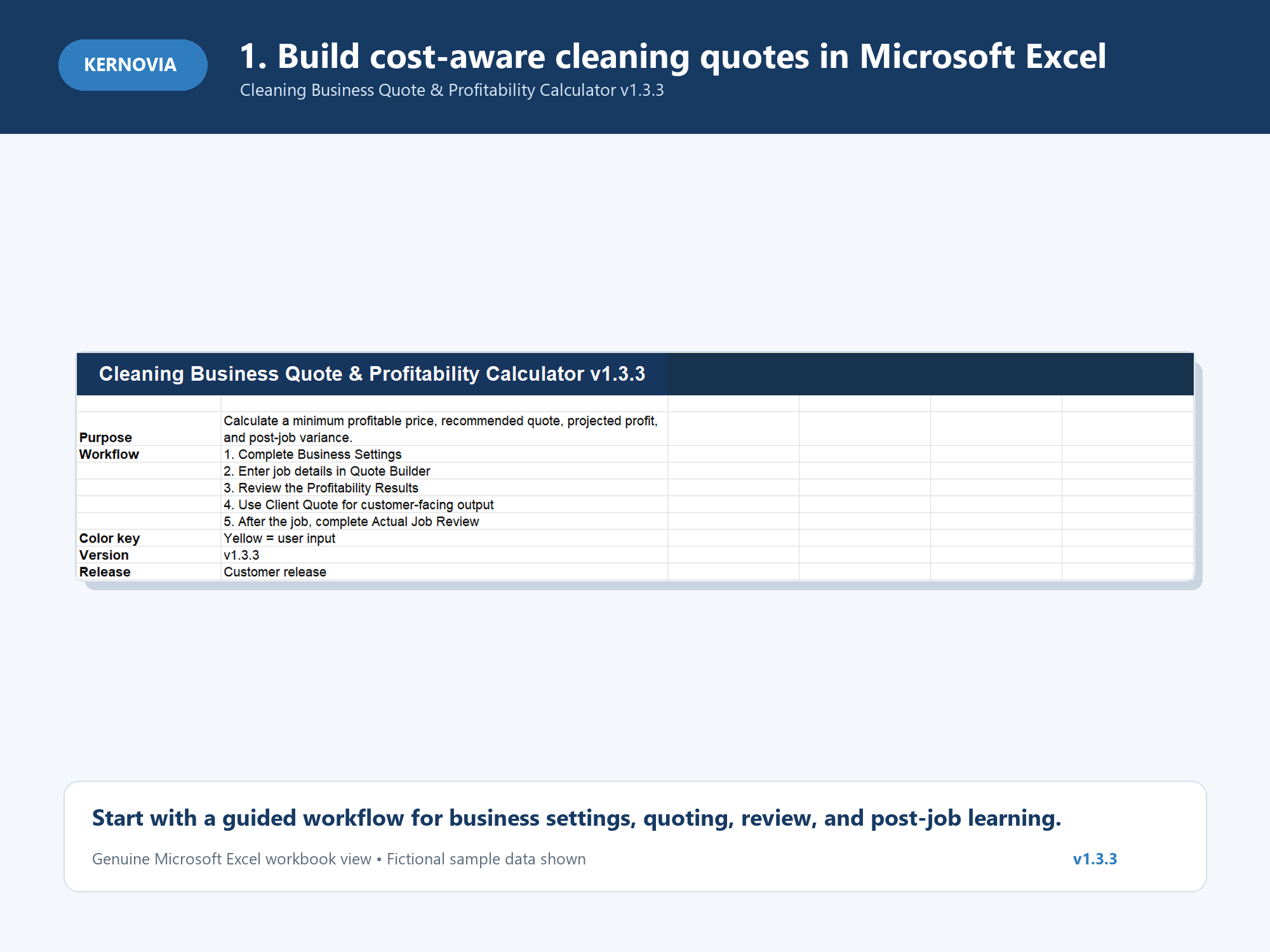
A cleaning price is more than the cleaner's wage plus supplies. Payroll burden, travel, overhead, contingency and the profit target all affect whether the job works for the business.
Kernovia brings those assumptions into the pricing decision before the quote goes to the customer.
A defined before-and-after workflow connects the quote you plan with the job you actually perform.
Labor, payroll burden, supplies, travel, overhead and contingency.
See the minimum acceptable price before agreeing to the quote.
Review recommended price, projected profit, margin and revenue per labor hour.
Turn the internal pricing decision into a customer-facing quote.
Enter what actually happened after the work is completed.
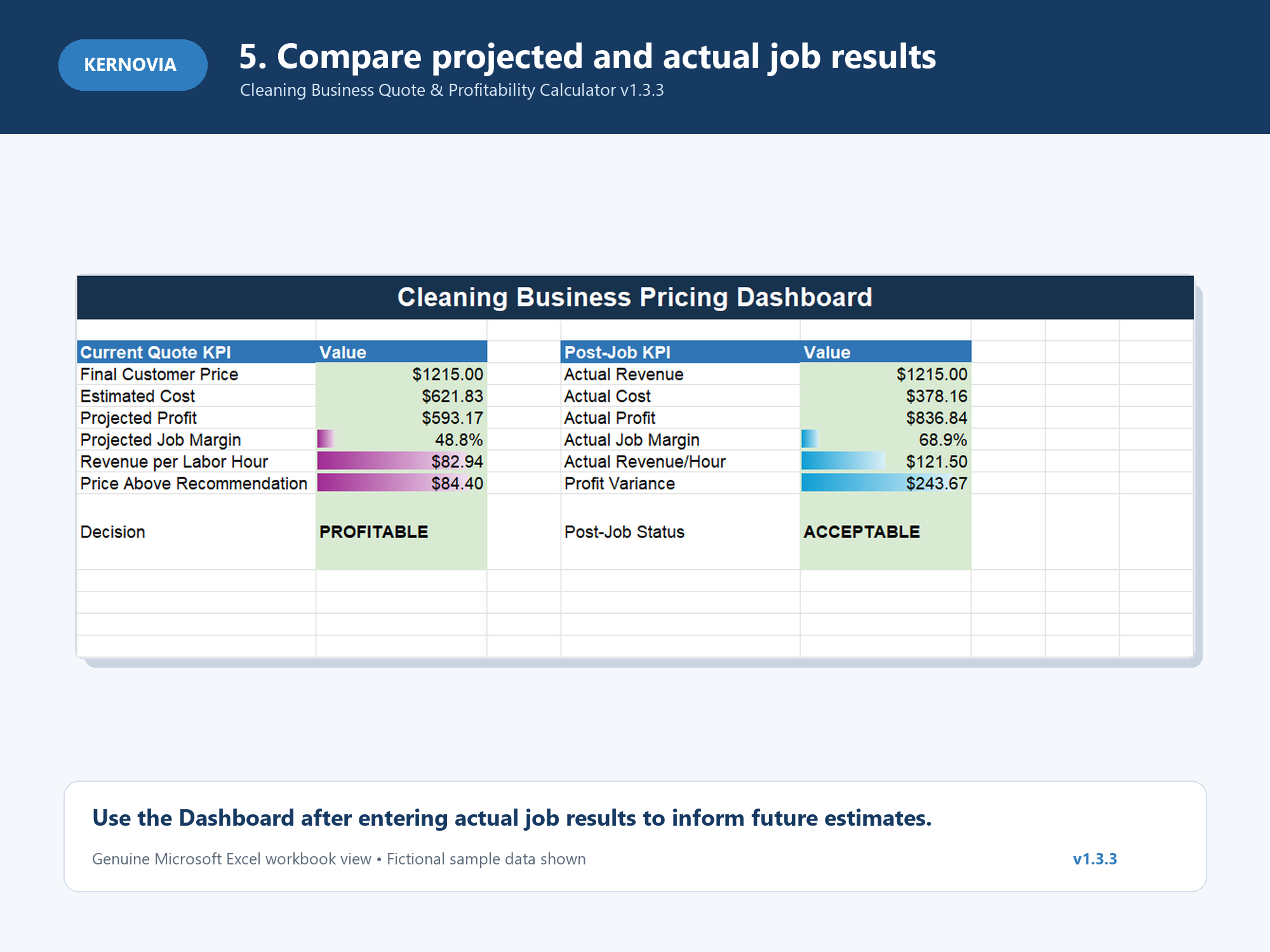
Compare estimated vs. actual performance and use the result on future work.
Basic pricing calculators vary widely. Kernovia's distinction is the way pricing and post-job review are connected in one workflow.
Enter job details → calculate a price → use the number.
Costs → pricing floor → recommended quote → projected profitability → client quote → actual job result → estimate-vs-actual review.
Features vary among competing products. This section describes workflow differences, not a claim that every competing calculator lacks any particular feature.
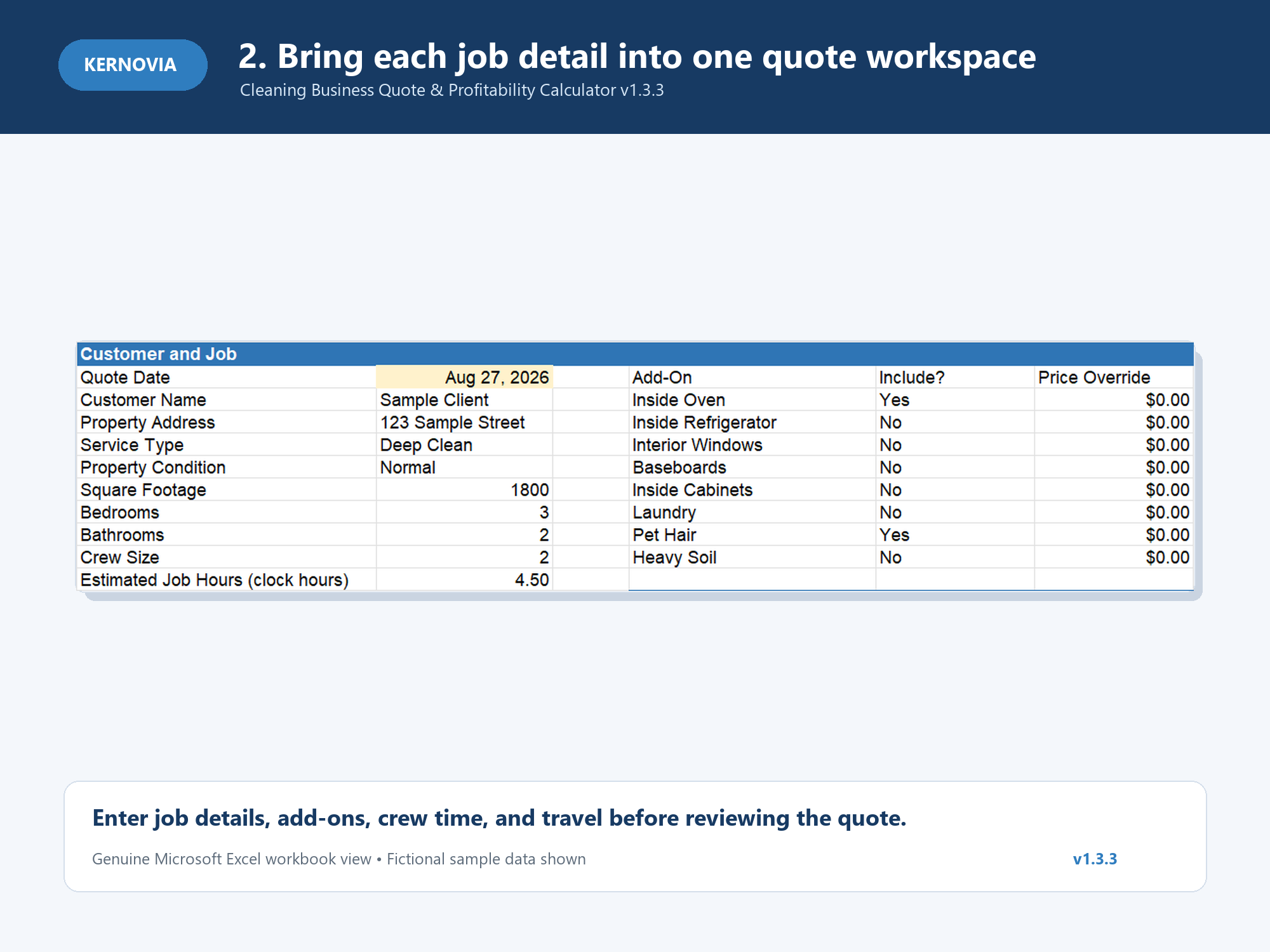
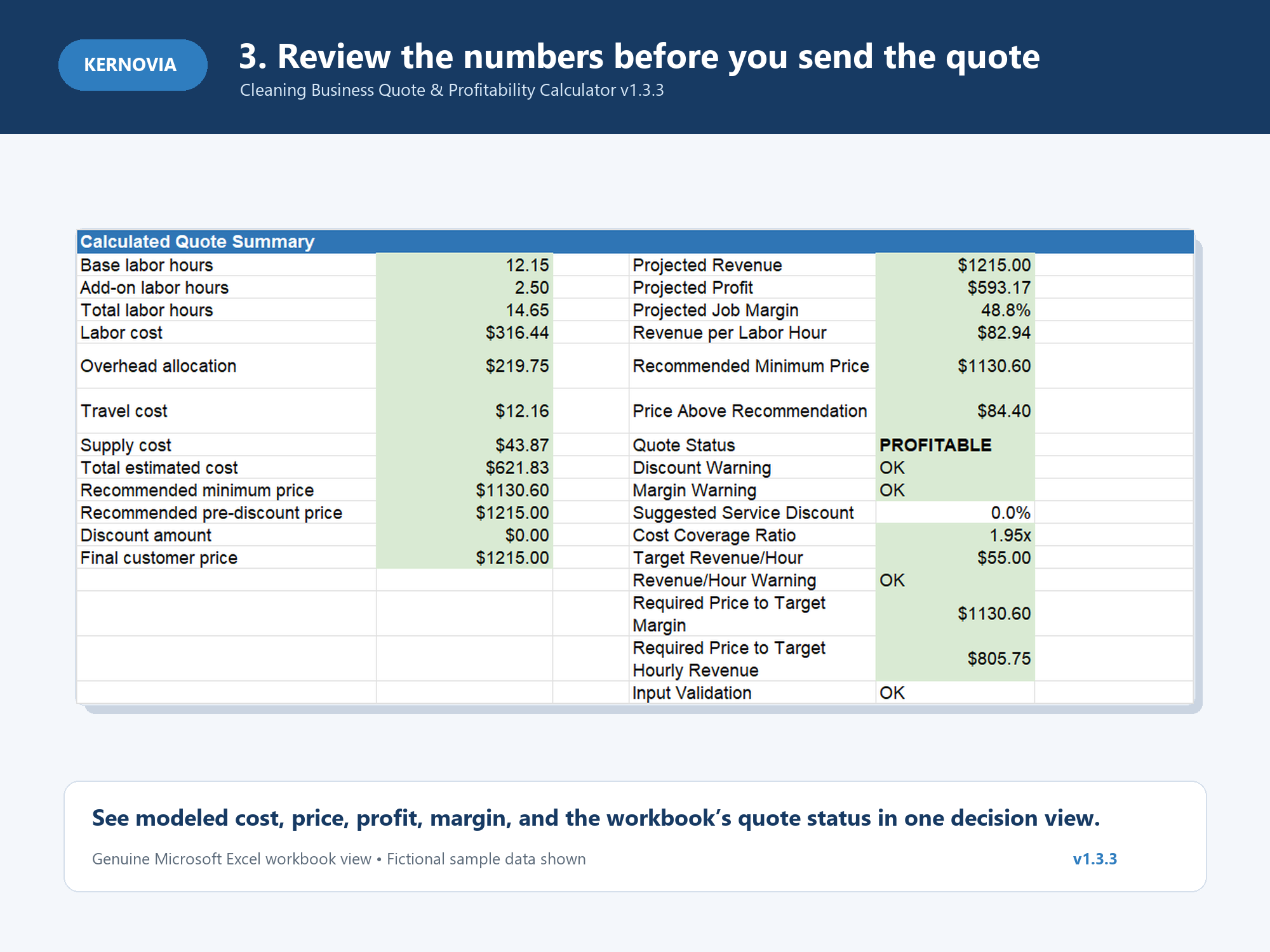
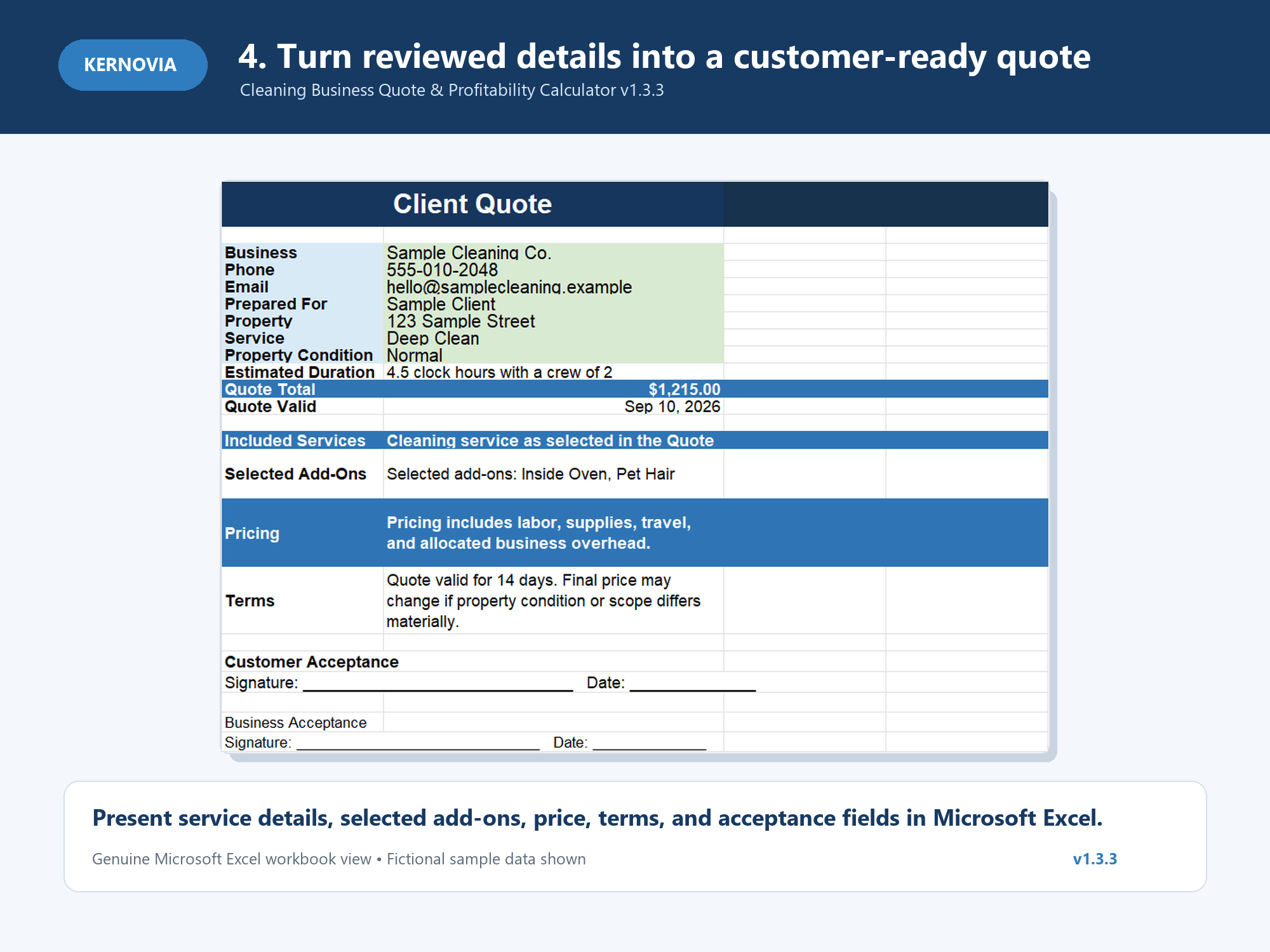
These are the actual product images prepared for Kernovia Cleaning Calculator v1.3.3.
Use the quote-building workflow to enter the information that drives the estimate instead of relying on a single hourly rate or a generic market number.
Review the pricing floor, recommended quote, projected profit and margin, revenue per labor hour, and profitability warnings before you commit to the price.
The pricing decision feeds a customer-facing quote so the workflow doesn't end with an internal calculation.
Actual Job Review and the Profitability Dashboard help compare estimated and actual performance and make recurring pricing misses easier to see.
The v1.3.3 customer workbook and included customer documentation delivered digitally through Payhip.
Especially useful when you price individual jobs, need a repeatable quoting process, and want to compare estimated and actual results.
Built and validated for modern Microsoft Excel desktop. Google Sheets and mobile editing are not supported in v1.3.3.
No monthly software subscription. Instant digital delivery after purchase through Payhip.
No. The Cleaning Business Quote & Profitability Calculator is a $29 one-time digital purchase.
No. The workbook uses the business and job assumptions you enter. It is designed to support your pricing decision, not impose a universal cleaning rate.
Yes. The workflow includes a customer-facing quote in addition to the internal pricing and profitability analysis.
Yes. Actual Job Review is designed to compare completed-job inputs and results with the original estimate, with dashboard-level review available as part of the workflow.
Yes. v1.3.3 is built and validated for modern Microsoft Excel desktop. Google Sheets and mobile editing are outside the supported environment.
No. It is a decision-support tool. Results depend on the accuracy and completeness of the assumptions and job data entered.
One reusable Excel workflow for the economics before the quote and the results after the job.